Pages

Showing posts with label DIY. Show all posts

Saturday, June 18, 2011

Stumbled Upon

Hello all! Yesterday,  I spent some time on the Stumble Me Friday blog hop with Let's Talk About Me (found on my blog hop page). Now, I've never Stumbled before because, well honestly, it seemed so dang complicated. But this week I got a wild hair and decided to bite the bullet.

So I signed up for an account at stumbleupon.com. It was surprisingly easy to get enrolled, the hardest part involved dragging their graphic up to my tool bar. Super simple-my kind of gig!  The next thing I knew, I was stumbling (liking) people all over the place. There were lots of great posts linked up on the hop yesterday so I was glad to do it.

But then I had a thought. I began wondering if any of my posts had been stumbled.  Sooooo.....I came across this neat little article:  How do you know if a page is stumbled?

I use Firefox, so I simply dragged the Stumbled? link up to my tool bar. And then when I clicked on the new link on my tool bar it showed exactly who had liked my posts.

 Got. To. Love. It!

Monday, June 13, 2011

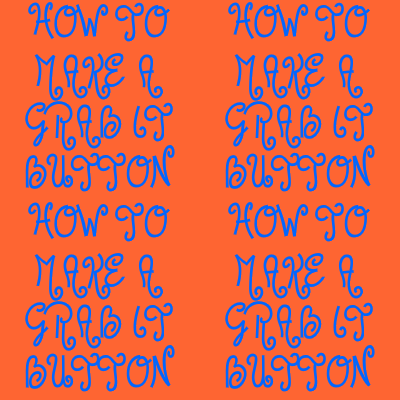
How To Make a Grab It Button on Blogger


As of late, I've had readers asking me how I made my button. If you happen to be one of those bloggers who so desires a button, here's it is--quick and simple!

It's only a matter of dropping your Blog URL and Photo URL into some coding. Here we go:


•••••••••••••••••••••
••••••••••••••••••••••••••••••••••


1)  Create your catchy, cute little blog button graphic. I made my less than trendy, but functional  "How to make a grab it button" photo with Fotoflexer- Picnik is great too! (Be sure that it isn't any larger than 200 pixels wide, or all kinds of crazy things will happen.)


2) Upload your new snazzy picture to your preferred image hosting site. (I used photobucket)


3) Pull up your blog on another page/tab, click on Design in the upper right corner, and that will take you to the elements page. Next click on Add a Gadget and then scroll down the list to HTML/Javascript, select it and then paste the code below in the HTML/Javascript box:  


Or use this if you would like to place your grab it button in a post and want it centered (make sure to paste it on the html side):


4)  Now all you have to do is copy your image code from your image hosting site and paste it in place of the YOURGRABITBUTTON.JPG. Next place your blog URL where it says YOURBLOGADDRESS.COM.

Congratulations! You're all done!!!

••••••••••••••••••
•••••••••••••••••••••••••••••••

Also, if you change your mind about the look of your button, there's nothing to worry about. You can change your graphics and all those readers who have your old button will be automatically updated with your new look! Mrs. Marine over at  Mrs. Marine and the Tiny Troops has come up with this great solution. I haven't tried it yet, but I change the look of my blog like I change my nail polish-so I'll be using it soon, I'm sure.